How to get notified with Mobile App access requests and to Add new recipient accounts
April 8, 2021
Here's a quick guide on how to get notified when a Seller asks for Mobile App access. And how to add other email accounts for notifications!
As an Admin that's in charge with granting access to mobile app users, It is exhausting to think that you have to open your email (Every time!) just to check if there are new request from sellers. Here's how...
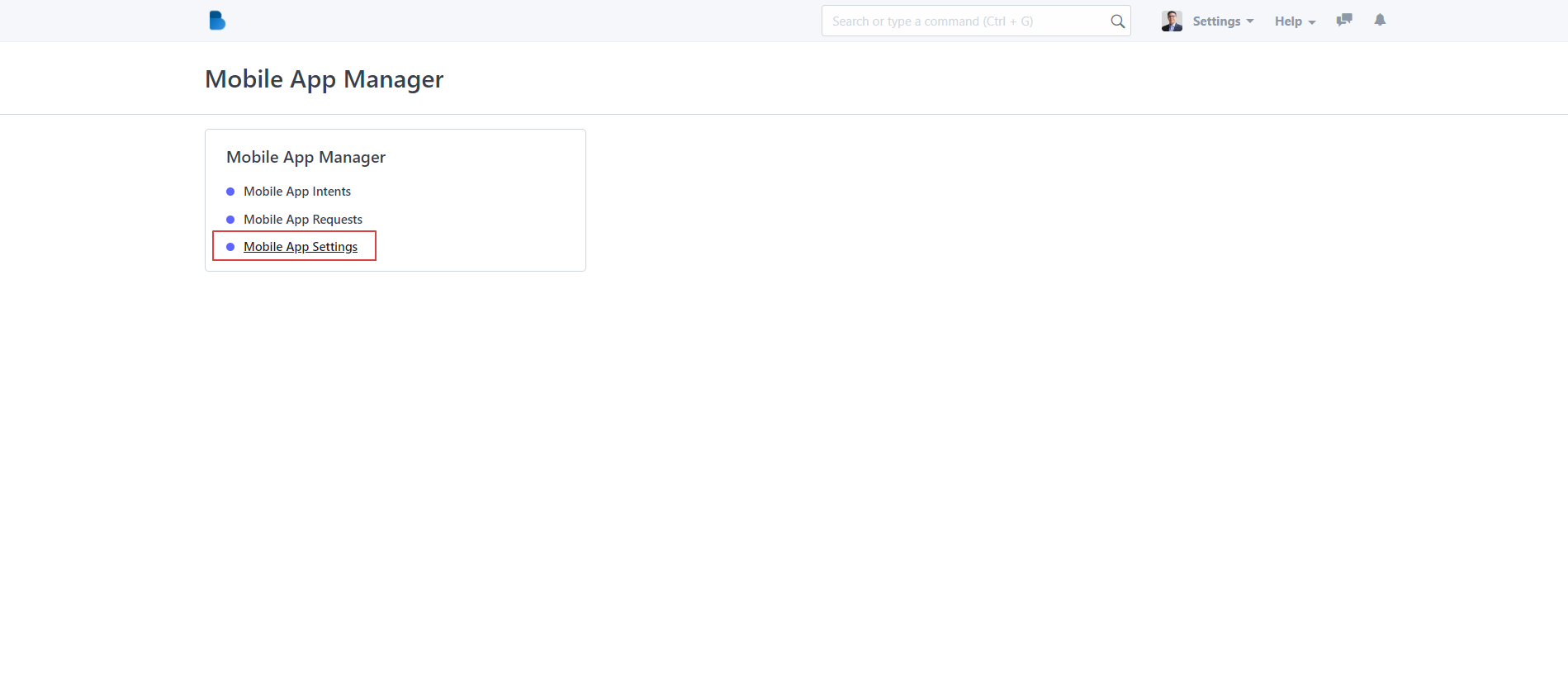
Go to Mobile App Manager module

...And then click Mobile App Settings

This will open your mobile app settings where you get to see the list of accounts and contact info that gets to be notified for every mobile app requests from your sellers.

How to ADD and DELETE accounts as recipients
To Add new recipients, just click the Add Row Button just below the recipients list.
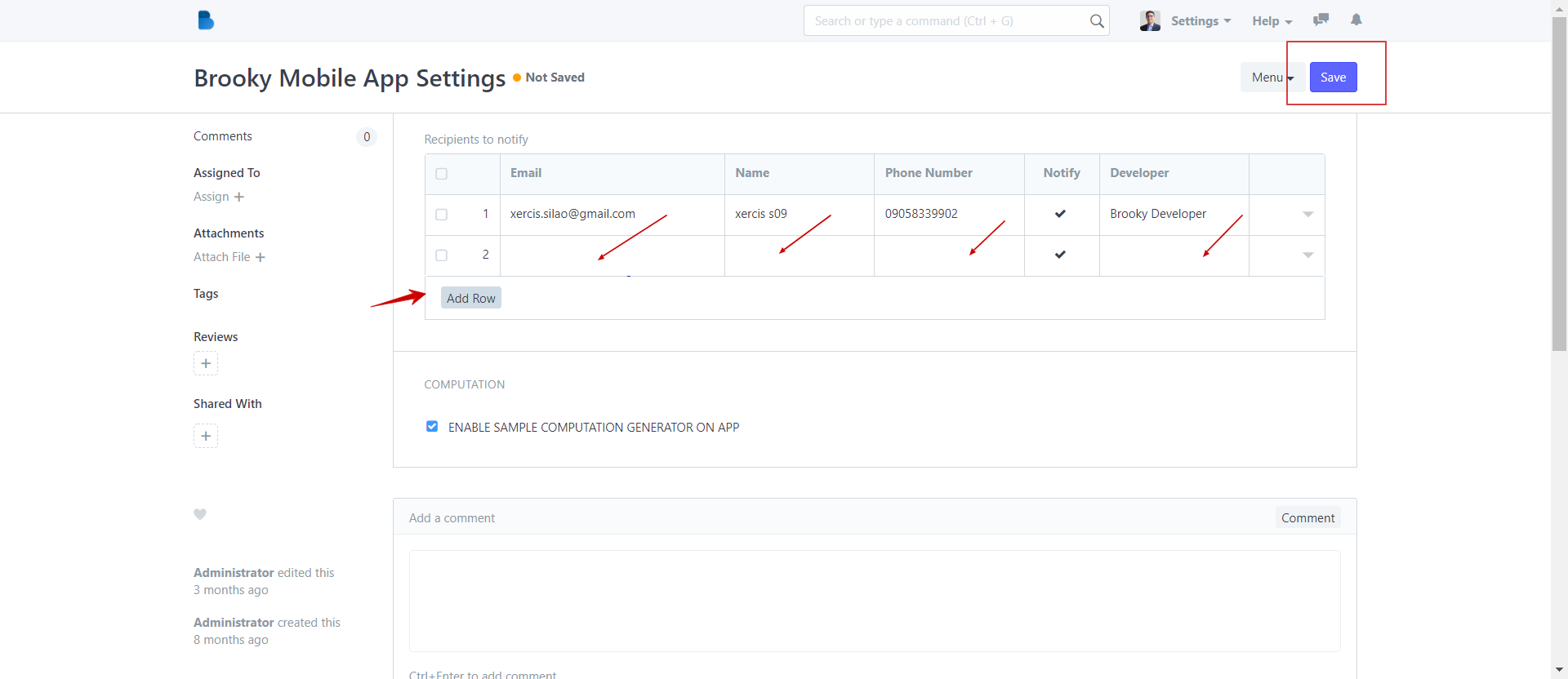
To Delete an account or field - Just simply click the box of the field that you want to delete.
This action will add another field below the list and in the blank fields provided, just input the details like email, name, as well as the SMS number and organization if applicable.

Don't forget to click that Save button on the upper right side of the navigational bar.

That's it! Now it's your turn!

| How to Grant and Deny Access to Mobile APP request |
No comments yet. Start a new discussion.